


Lumber GO!
4.5388.00 Reviews
App Specs
- Version
- 0.1.10
- Updated On
- License
- Free
- Downloads
- 100,000+
- Developer
- Seikami
- Categories
- Arcade
- Platform
- Android
Screenshots
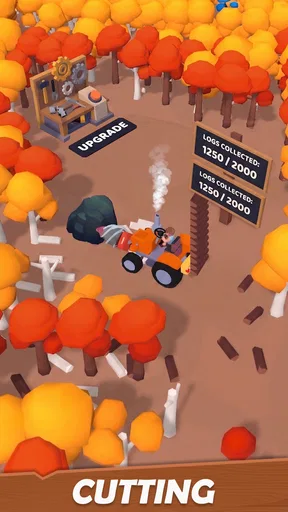
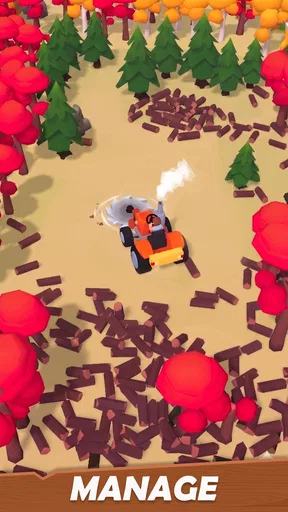
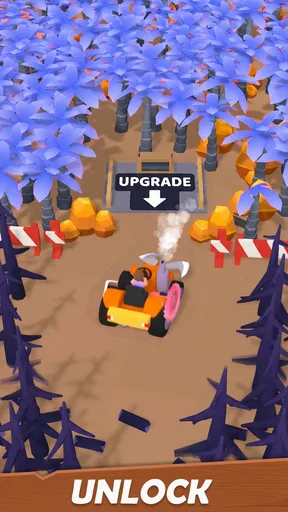
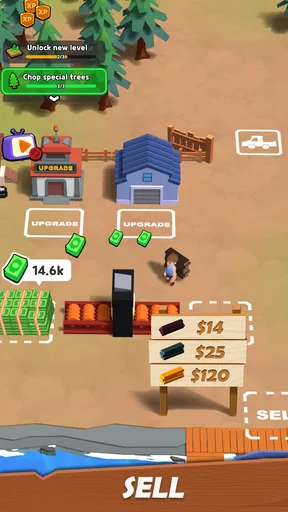
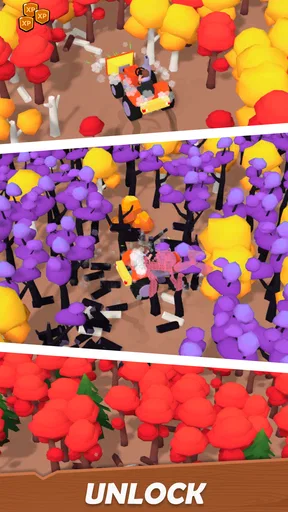
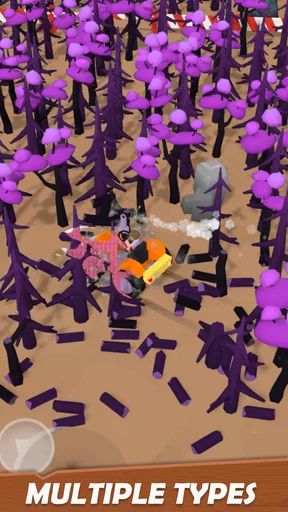
 Analysis by AppCompare
I like arcade games that explain themselves in seconds but still leave room to get better, and Lumber GO! has that compact appeal. Its central loop is easy to grasp: chop, react to danger, and try to keep going. The lumber-mech premise gives the action a playful identity, while the short, repeatable rhythm makes it a natural fit for spare moments. My main reservation is that this kind of game depends heavily on whether its basic action stays satisfying after the novelty wears off.
A quick loop built around timing
As an arcade game, Lumber GO! is most appealing when I want a clear goal rather than a long campaign to manage. Chopping and selling wood, then putting progress toward upgrades, gives each session a simple direction. That structure can make a brief play feel purposeful: I can focus on one more run, then decide whether to spend a little longer improving my setup.
The useful habit here is to treat each attempt as a small experiment, not just a chase for a bigger result. When a run ends, I can think about whether I reacted too late, rushed my choices, or should put the next bit of progress into an upgrade. That makes the repeat loop feel more intentional than tapping without a plan. It also helps keep the game approachable if I only have a few minutes and don’t want to remember a complicated set of objectives.
Upgrades are the reason to return
The upgrade angle is the key distinction from a bare-bones reflex game. A score-chaser usually asks me to replay the same challenge and improve through practice alone; Lumber GO! adds a longer-term reason to come back by tying chopping to selling and development. I find that appealing when I want arcade action with a light sense of progression, though it is not the same as a deep management game with detailed planning.
For a more satisfying session, I’d avoid treating every upgrade as automatically worthwhile. It is more useful to notice which part of the loop is slowing progress and spend toward that need, rather than buying at random simply because an option is available. That small bit of prioritizing gives the progression a purpose. The trade-off is that players who mainly want precise, skill-only competition may prefer an arcade game where improvement comes entirely from mastering timing.
What the game does well—and where it may fall short
The strongest idea is the way the lumber-mech theme gives familiar arcade actions a specific context. Chopping, selling, and upgrading belong together, so the game’s central premise is easy to remember. I also like that the concept does not require a lengthy introduction to make sense. It is a straightforward option for someone who wants to start playing rather than spend the first session learning a large collection of systems.
The same simplicity is also the main question mark. If you need a story, varied levels, or a lot of tactical depth to stay interested, a repeatable chopping loop may feel narrow. The upgrade cycle can support continued play, but it cannot replace variety for someone who wants every session to introduce a substantially different challenge. I’d approach it as a light arcade diversion, not as a substitute for a sprawling builder or a complex strategy game.
Worth Reading Before You Choose

Flipboard Shows What News Apps Must Do Beyond the Feed

Switching to Android Auto Means Rethinking Your Driving Routine

Google Calendar Makes a Crowded Week Easier to Manage

Ludo King Makes the Most of the Minutes Between Plans

Baby Panda World Brings Quick Play to Modern Phones, but Its Game Library Feels Busy

ESPN’s Live Game View Makes Following Close Games Easier
Who I’d recommend it to
I’d point this toward players who enjoy short arcade sessions and find gradual progress motivating. It can suit a quick break between errands or a quiet moment when I want something more active than a passive time-killer but less demanding than a long game. A practical way to play is to set a small target before starting—such as making one upgrade—so a brief session has a natural stopping point.
By contrast, I’d suggest skipping it if you dislike repeating a core action, prefer complete control over every strategic detail, or want a game built around a substantial narrative. It is also worth remembering that optional purchases can affect how a player chooses to progress. The game is free to start, while in-app items cost $4.99 each, so I’d decide in advance whether I’m happy to keep to the free route rather than treating purchases as a necessary part of play.
Getting Started with Lumber GO!
Jumping into Lumber GO! is as easy as pie. The game doesn't throw a confusing tutorial at you. Instead, it’s more of a "learn by doing" approach, which I personally love. The controls are straightforward—just tap on either side of the screen to chop to your heart’s content. The goal? Chop as much wood as possible without getting knocked out by branches. It's simple, yet keeps you on your toes.
Visuals and Sound
The graphics are fun and colorful, which adds to the charm. The game has a retro, pixelated style that’s both nostalgic and modern. The trees, the lumberjack, and even the pesky branches are all designed with a delightful attention to detail. As for the sound, it’s pretty satisfying. Each chop produces a crisp, clear sound that makes you feel like you're actually doing some serious woodwork.
Gameplay Experience
One of the things that hooked me was the sheer simplicity of the gameplay. It’s the perfect "pick up and play" style that fits into any time slot. Whether you’ve got five minutes or half an hour, Lumber GO! has you covered. Plus, the increasing speed and tricky branches keep things interesting as your score climbs. It's one of those "just one more try" kind of games that can easily keep you engaged for longer than you planned.
A realistic use for that quick format is a short wait with no room to settle into a longer game: I can play a round, put the phone away when called, and return later without needing to reconstruct a complicated plan. If I’m playing for longer, I’d take a pause after a few failed attempts rather than letting the “one more try” feeling turn a casual break into a frustrating session. The game’s appeal is strongest when I enjoy reacting quickly; it is less suited to a moment when I want calm, uninterrupted progress.
Challenges and Rewards
As you progress, the game introduces various challenges to spice things up. From tricky branch patterns to speed boosts, there’s always something new around the corner. And let’s not forget about the rewards. Accumulating points allows you to unlock different characters and axes, adding a cool personalized touch to your lumberjack journey.
One small but useful way to approach these rewards is to treat character and axe unlocks as motivation, not as proof that every item changes how the game plays. I’d enjoy the choice and keep my focus on learning the hazards that actually affect a run. That distinction helps set expectations: cosmetic variety can make repeated play feel more personal, while the challenge still comes down to recognizing danger and responding in time.
Why You'll Love It
If you enjoy casual games that offer a mix of relaxation and challenge, you’ll probably fall in love with Lumber GO!. It's the kind of game that you can play while waiting in line or just to unwind after a long day. The leaderboard feature adds a competitive edge, encouraging you to beat your score and those of other players worldwide.
That competitive element is best treated as an optional extra. I’d use a personal best as the main measure of improvement if I’m playing casually, and look at the leaderboard only when I’m in the mood to compare. That keeps the game enjoyable even if I’m not trying to reach the top. Players who want a carefully balanced head-to-head contest may be happier with an arcade title designed around direct competition, rather than a quick score chase.
Lumber GO! is also great because it doesn’t bombard you with ads. They’re there, but they’re not intrusive, which is a huge plus in my book. And if you really get into it, there are in-app purchases to enhance your experience, though they're totally optional.
How it fits among arcade games
Compared with common arcade alternatives, this one sits between a pure reflex test and a light progression game. A minimalist score attack is often cleaner for players who want every replay to be about their own timing; a builder usually offers more decisions but asks for more attention and patience. The appeal here is the middle ground: quick chopping remains central, while selling and upgrades give the session a reason to continue. I’d choose it when I want that blend, not when I’m specifically looking for elaborate construction or a broad range of modes.
If I were introducing it to someone else, I’d suggest they try a few short sessions before deciding whether the upgrade rhythm works for them. That is a better test than judging it from one lucky run, because the lasting appeal depends on both the immediate arcade action and the feeling of incremental progress. If one side of that pairing does not click, the other may not be enough to hold attention for long.
Practical details and expectations
Seikami’s game is free to play and carries an Everyone age rating. It has an average rating of 4.6 from around three thousand ratings, with over one hundred thousand installs, so there is an established audience for its simple arcade pitch. Version 0.1.10 is the current release, and the game first arrived on October 31, 2025. It supports a minimum OS version of 7.1, details worth checking against your device before installing.
One common question is whether spending is required to enjoy the core loop. I’d start without buying anything and see whether the chopping and upgrade cycle are enough; optional in-app purchases are priced at $4.99 per item. Another practical question is whether this suits younger players: the Everyone rating makes it broadly accessible, though I’d still keep purchases in mind when sharing a device. For someone deciding between this and a more involved arcade game, the answer is simple: pick this for fast, repeatable play and modest progression, and choose the alternative if you need a richer set of systems.
Final Thoughts
Overall, Lumber GO! is a delightful little game that offers a perfect blend of simplicity and challenge. It's a game that doesn’t take itself too seriously and is all the better for it. Whether you’re looking to kill some time or compete for the highest score, this game is a solid choice.
So, if you’re ready to channel your inner lumberjack, give Lumber GO! a whirl. It’s available on both Android and iOS, and trust me, it’ll have you chopping away in no time. Grab that virtual axe and get to work!
Pros
- Engaging gameplay with dynamic challenges.
- Intuitive controls make navigation easy.
- Visually appealing graphics and animations.
- Regular updates with new levels and features.
- Offline mode available for on-the-go play.
Cons
- In-app purchases can be costly.
- Occasional ads interrupt gameplay.
- Limited character customization options.
- Requires frequent updates for smooth play.
- Battery consumption is relatively high.
FAQs for Lumber GO!
What is the main objective of Lumber GO!?
Lumber GO! is an engaging simulation game where players take on the role of a lumberjack. The primary objective is to chop down trees efficiently, gather resources, and upgrade equipment to become the best lumberjack. Players must manage their time and resources wisely to progress through increasingly challenging levels.
Is Lumber GO! free to play, or does it require any in-app purchases?
Lumber GO! is free to download and play. However, it offers in-app purchases that can enhance your gaming experience. Players can buy virtual currency or special equipment to progress faster in the game. While these purchases are optional, they can provide significant advantages.
What are the system requirements for Lumber GO! on Android and iOS?
For Android, Lumber GO! requires version 5.0 or higher, with at least 150MB of free space. For iOS, it requires iOS 11.0 or later and is compatible with iPhone, iPad, and iPod touch. Ensuring your device meets these requirements will help avoid performance issues during gameplay.
Does Lumber GO! support multiplayer or social features?
Lumber GO! includes social features that allow players to connect with friends, compare scores, and share achievements. However, it currently does not support real-time multiplayer gameplay. Players can compete in leaderboards to see how they rank against others globally.
How often does Lumber GO! receive updates and new content?
The developers of Lumber GO! are committed to providing a fresh and exciting experience by releasing regular updates. These updates may include new levels, features, bug fixes, and seasonal events. Players can expect new content every few weeks to keep the gameplay engaging and challenging.


